After a bulk installation of a plugin through MainWP Dashboard, the plugin defaults to English, even though the child site is set to a different language.
This document provides two possible solutions for this behavior.
Why does this happen?
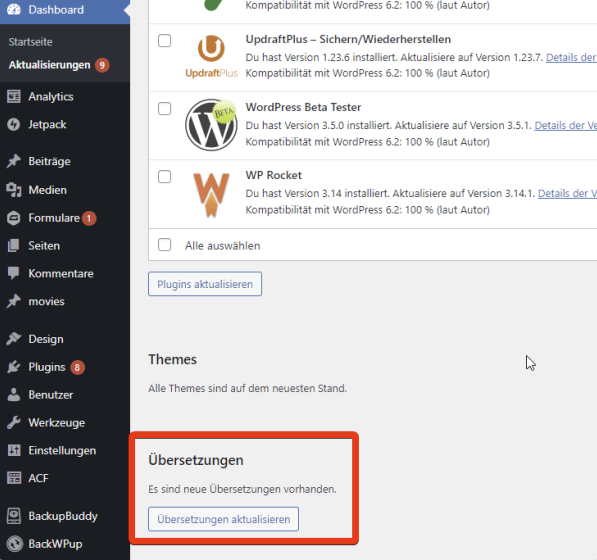
After a plugin is installed directly on the child site, the translation for it is automatically fetched from wp.org, as seen in this screenshot:

However, that step is not performed automatically when you install a plugin from MainWP Dashboard.
Solution 1: Synchronizing the Dashboard and Updating Translations
- Install the Plugin: Use the MainWP Dashboard to install the desired plugin.
- Synchronize the Dashboard: After installing the plugin, synchronize your MainWP Dashboard.
- Navigate to Translation Updates: Go to
Dashboard > Updates > Translation Updateson your MainWP Dashboard. - Update Translations: Here, you will find available translation updates for the newly installed plugin. Apply these updates to ensure the plugin appears in the correct language on your child sites.
Solution 2: Updating Translations on Child Sites
- Install the Plugin: Install the desired plugin via MainWP Dashboard.
- Access the Child Site: Log into the WordPress Admin of the child site where the plugin was installed.
- Update Translations: From the Updates page of the child site, update translations for all plugins and themes.